



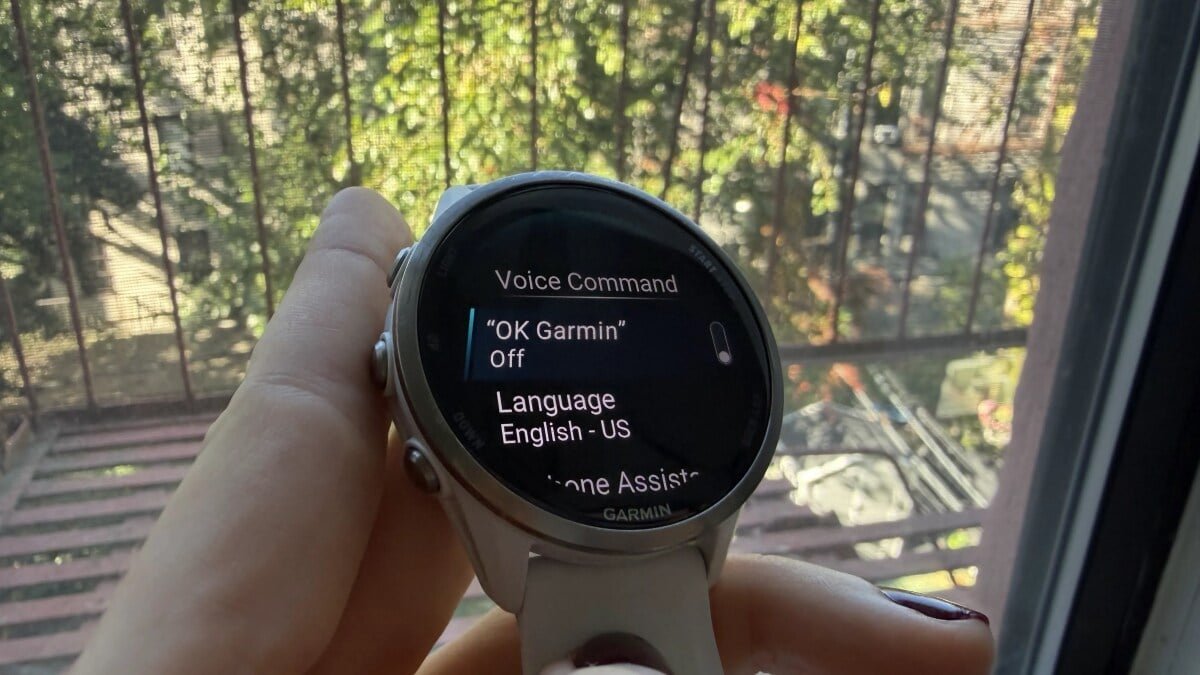


smartwatch users are reporting a significant drop in battery life following the company’s recent software updates. The culprit? A newly introduced hands-free voice activation feature dubbed “OK Garmin.” While designed for convenience, this feature appears to be consuming a substantial amount of power, leaving many users frustrated. Fortunately, a simple fix is available to restore your watch’s endurance.
The Convenience Cost: How “OK Garmin” Impacts Battery Life
Garmin’s September software updates brought an array of enhancements to popular models like the Fenix 8, Forerunner 570, Forerunner 970, and Venu 4, among others. Alongside all-day fall detection, new Quick Workouts, and Garmin Run Coach plans, the updates introduced the “OK Garmin” hands-free voice command. This innovation allows users to activate voice commands simply by speaking the wake phrase, eliminating the need to press a button.
However, this hands-free convenience comes at a steep price for battery longevity. Reports from Garmin’s support forums indicate that enabling “OK Garmin” can slash a watch’s projected runtime by an alarming 35% to 50%. While Garmin acknowledges that these settings shorten battery life, the extent of the drain has surprised many. The continuous listening required for the wake phrase is the primary reason for this accelerated power consumption, turning what should be a minor convenience into a major drawback for daily use.
Reclaiming Your Runtime: The Simple Fix
The good news is that restoring your Garmin watch’s battery life is straightforward. If you’ve noticed a significant decrease in your watch’s charge duration since the latest update, the solution lies in disabling the “OK Garmin” feature.
How to Disable “OK Garmin”:
- Navigate to your watch’s Settings.
- Select System.
- Choose Voice.
- Disable “OK Garmin”.
Additionally, from the same menu, you have the option to switch off the “Phone Assistant” wake word if it’s also enabled. Crucially, disabling “OK Garmin” does not remove your ability to use voice commands entirely. You can still activate them manually using your watch’s physical buttons, offering a balanced approach to functionality and battery preservation.
Understanding the Trade-Off
While the reported battery drain figures are currently estimates from user experiences rather than independently verified real-world tests, the consensus among users is clear. Sacrificing potentially half of your smartwatch’s battery life for a feature many might use infrequently is a difficult compromise to justify. It highlights the delicate balance between introducing innovative features and maintaining core device performance.
For now, users seeking to maximize their Garmin’s battery life should consider deactivating the “OK Garmin” feature. This simple adjustment ensures your smartwatch remains a reliable companion for longer, without compromising essential functionalities.
For more details, visit our website.
Source: Link







Leave a comment