




Critical Cyberattack: ConnectWise Credential Compromise Exposes 173 Microsoft 365 Tenants
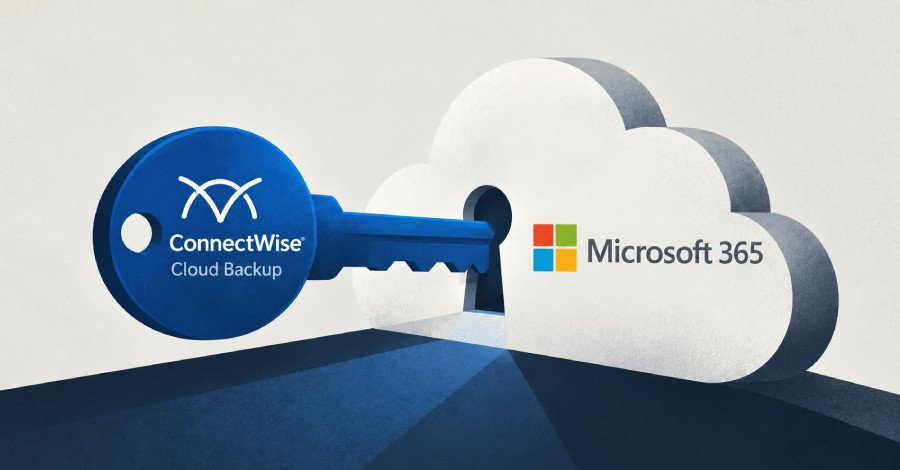
A widespread and alarming cybersecurity incident has sent ripples through the managed service provider (MSP) ecosystem, with threat actors leveraging a compromised ConnectWise Cloud Backup credential to gain unauthorized access to a staggering 173 Microsoft 365 (M365) customer environments. This sophisticated campaign underscores the critical vulnerabilities inherent in third-party integrations and the far-reaching consequences of a single compromised credential.
The Breach: A Trusted Application Turned Weapon
ConnectWise Cloud Backup, formerly known as SkyKick, is a vital cloud-based service designed to provide backup and recovery for MSPs’ clients using Microsoft 365 or Google Workspace. To perform its essential functions, the application is granted extensive permissions across mailboxes, OneDrive, SharePoint, Teams, and directory data within every tenant where it is installed. This broad access, while necessary for its operation, becomes a significant liability when the application’s credentials fall into malicious hands.
Cybersecurity firm Huntress first raised the alarm, confirming unauthorized sign-ins across 173 partner and customer tenants. “The app’s credential is in hostile hands,” stated security researcher Jonathan Semon. The attackers exploited this credential to obtain Microsoft Graph tokens in customer tenants from the IP address 144.172.64[.]128 on October 15, between 06:13 and 08:34 UTC. The methodical, scripted nature of the attacks, moving through tenants in sorted GUID order just seconds apart, points to a highly organized operation.
Deepening the Intrusion: Beyond Initial Access
The threat actors didn’t stop at mere access. With the compromised credential, they authenticated to the ConnectWise app using their own tools, mirroring the legitimate backup service’s behavior to acquire tokens with the app’s inherent, extensive permissions. This allowed them to read mailboxes, files, and directory data—effectively everything the backup service could access.
Escalating Privileges and Lateral Movement
The situation escalated dramatically in at least one observed partner tenant. Huntress discovered a separate ConnectWise app, specifically the Cloud Management app for Microsoft Teams (Application ID 24205314-2b89-4e07-a2a4-579e898a5640), assigning itself Global Administrator privileges. Following this, a Python script was executed, modifying two other trusted applications within the environment: an MSP management application and Huntress’s own Security Platform, by adding new client secrets to both.
Semon elaborated on the gravity of this move: “Adding a credential to an MSP management application can extend access beyond the one tenant, because those applications are often consented into the MSP’s customers’ tenants. A credential on a security tool’s application gives the holder whatever that tool is permitted to do.” This tactic effectively creates new backdoors, extending the attackers’ reach far beyond the initial vendor account compromise.
The Challenge of Remediation and ConnectWise’s Response
Todyl, another cybersecurity firm, corroborated these findings, detecting unauthorized authentication to Microsoft Graph via the ConnectWise Cloud Backup application. Nicholas Koken, Todyl’s head of Detection Engineering, highlighted the persistence of the access: “Revoking user sessions does not end this access. Disabling the app in a tenant stops new tokens from being issued there, though tokens already issued stay valid for up to 90 minutes.” This means even after an organization takes action, a window of vulnerability remains.
In response to the incident, ConnectWise has taken decisive action, closing Cloud Backup application access until further notice. The company has stated it found no evidence of compromised Cloud Backup partner backup data. They have also provided critical indicators of compromise (IoCs) for organizations to investigate:
- In the Microsoft Entra Admin Center, navigate to Monitoring → Sign-in logs.
- Select the Service principal sign-ins tab (the default User sign-ins tab will not show the relevant data).
- Filter by Application ID:
506e08f9-6e9a-4da4-942b-a099a03644ae. - Review authentication activity in the IP address column, specifically looking for activity from
144.172.64[.]128or other IPs outside expected Microsoft/Azure ranges. The application’s normal egress is identified as Azure private IPv6.
This incident serves as a stark reminder for all organizations, particularly MSPs, about the critical importance of supply chain security, vigilant monitoring of third-party application permissions, and robust incident response protocols. The broad access granted to essential services, while convenient, necessitates an even higher level of scrutiny and protection against compromise.
For more details, visit our website.
Source: Link







Leave a comment