




Bypassing the Bots: Three Smart Ways to Ditch CAPTCHAs While Using Your VPN
Virtual Private Networks (VPNs) are indispensable tools for safeguarding your online privacy, encrypting your data, and masking your digital footprint. However, the very anonymity they provide can sometimes lead to an unexpected annoyance: a barrage of CAPTCHA prompts. If you’ve ever found yourself repeatedly clicking on traffic lights or deciphering distorted text while connected to a VPN, you’re not alone. This common frustration arises because sharing an IP address with hundreds of other users can make your connection appear suspicious to website firewalls.
The good news? You don’t have to sacrifice convenience for privacy. Modern solutions, from strategic server choices to advanced browser features and dedicated IP options, offer effective ways to navigate the web without constant interruptions. Here’s how to reclaim your seamless browsing experience.
Why VPN Users Encounter More CAPTCHAs
CAPTCHAs (Completely Automated Public Turing test to tell Computers and Humans Apart) are designed to be simple for humans but challenging for bots. They serve as a crucial line of defense against spam, automated attacks, and malicious activity. While seemingly straightforward, the process behind a modern CAPTCHA, like Google‘s reCAPTCHA v3 or Cloudflare Turnstile, is quite sophisticated.
The Invisible Risk Score
Before you even see a puzzle, CAPTCHA providers assess a “risk score” based on various signals: your IP address, browser and device characteristics, and recent online behavior. If these signals don’t confidently confirm your human identity, a puzzle is presented. For VPN users, this risk score often skews higher due to several factors:
- Shared IP Addresses: When many users share a single VPN server’s IP address, legitimate human traffic gets mixed with potentially suspicious automated activity, flagging the IP as high-risk.
- Frequent IP Changes: Rapidly switching between VPN servers, and thus IP addresses, can also trigger suspicion, making your activity resemble that of a botnet.
Fortunately, advancements in both browser technology and VPN services are making it easier to mitigate these challenges.
Three Effective Strategies to Minimize CAPTCHA Prompts
1. Opt for Less Crowded VPN Servers
One of the simplest yet most effective ways to reduce CAPTCHA frequency is to be selective about your VPN server. Automatic server selection often routes you to the busiest locations, which are more likely to be flagged due to high traffic volume and potential abuse.
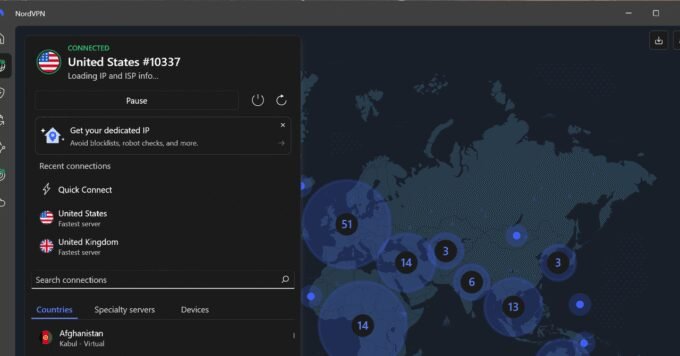
- Choose Wisely: Instead of defaulting to major traffic hubs like New York or London, explore servers in smaller, less populated cities nearby. These often offer comparable speeds but with significantly lower load. Many reputable VPN providers, such as Proton VPN, display server load percentages, guiding you towards less congested options.
- Maintain Consistency: Avoid frequently hopping between different IP addresses. Once you find a server that performs well and doesn’t trigger excessive CAPTCHAs, stick with it for at least a full browsing session.
- Consider Premium Plans: Paid VPN services typically offer a much larger and more diverse server network, increasing your chances of finding less crowded, higher-reputation IPs. Providers like ExpressVPN, Surfshark, Proton, and NordVPN are known for their extensive server collections.
Pros:
- Works across all devices.
- Requires no additional cost beyond your current VPN subscription.
- Easy to implement by manually selecting servers.
Cons:
- Server reputations can fluctuate over time.
- Frequent server switching can paradoxically increase CAPTCHAs.
- Free VPN plans often have limited server options.
2. Leverage Private Access Tokens (PATs)
Private Access Tokens represent a significant leap forward in user verification, allowing your device to attest to your authenticity without exposing your IP address or personal data. Instead of solving a puzzle, your device provides an anonymous token to the website.
- Apple’s Automatic Verification: Apple has integrated this feature, dubbed “Automatic Verification,” into its ecosystem since iOS 16 and macOS Ventura. When enabled, your Apple device and Apple Account validate your request, assigning an anonymous token to bypass CAPTCHAs. You can enable it via
Settings > [your name] > Sign-In & Security > Automatic Verificationon iOS/iPadOS, orSystem Settings > [your name] > Sign-In & Security > Automatic Verificationon macOS. - Cross-Browser Initiatives: While native support is currently limited to Apple, the industry is moving towards broader adoption. Cloudflare, a major CAPTCHA provider, has already reduced its CAPTCHA requests by 91% using its Managed Challenge platform. Furthermore, Cloudflare announced a joint effort called the Private Access Control Tokens (PACT) standard with Chrome, Edge, Firefox, and Shopify, with broader implementation expected in the near future.
- Cloudflare Silk Extension: For Windows, Android, and Linux users, Cloudflare offers the Silk extension for Chrome, Firefox, and Edge, which aims to provide similar functionality. While its effectiveness may vary, the upcoming PACT standard holds considerable promise for a more reliable cross-platform experience.
Pros:
- Enabled by default on compatible Apple devices.
- Independent of your VPN or IP address.
- Enhances privacy by not sharing personal details with websites.
Cons:
- Native support primarily for Apple devices currently.
- Not all websites currently support privacy tokens.
- Browser extensions can be less reliable or effective than native implementations.
3. Invest in a Dedicated IP Address
For those seeking the ultimate solution to CAPTCHA woes while using a VPN, a dedicated IP address is a compelling option. Unlike shared IPs, a dedicated IP is assigned exclusively to you, meaning your online activity is not conflated with that of hundreds of other users.
- Unique Identity: With a dedicated IP, websites perceive your connection as originating from a consistent, unique source. This significantly boosts your “trust score” and drastically reduces the likelihood of being flagged as a bot.
- Reduced Suspicion: Since you’re the sole user of that IP, its reputation remains untarnished by the actions of others. This consistency helps websites recognize you as a legitimate visitor, leading to fewer verification requests.
- Enhanced Access: A dedicated IP can also be beneficial for accessing services that might block shared VPN IPs, such as streaming platforms or online banking, providing a more stable and reliable connection.
Most premium VPN providers offer dedicated IP addresses as an optional add-on service, typically for an extra monthly fee. While it comes at an additional cost, the convenience and reduced friction it offers can be well worth the investment for frequent VPN users.
Pros:
- Significantly reduces CAPTCHA prompts.
- Provides a consistent online identity.
- Can improve access to certain geo-restricted services.
Cons:
- Incurs an additional monthly cost.
- Slightly reduces the anonymity aspect of a shared VPN IP (though your traffic is still encrypted).
- May require a bit more setup depending on the VPN provider.
Seamless Privacy is Possible
While VPNs are essential for maintaining online privacy, the inconvenience of frequent CAPTCHA prompts can detract from the user experience. By understanding why these challenges arise and implementing these smart strategies—from choosing less crowded servers and leveraging Private Access Tokens to investing in a dedicated IP address—you can enjoy the full benefits of a VPN without constantly proving your humanity. Embrace these fixes and browse the internet with both privacy and peace of mind.
For more details, visit our website.
Source: Link





Leave a comment