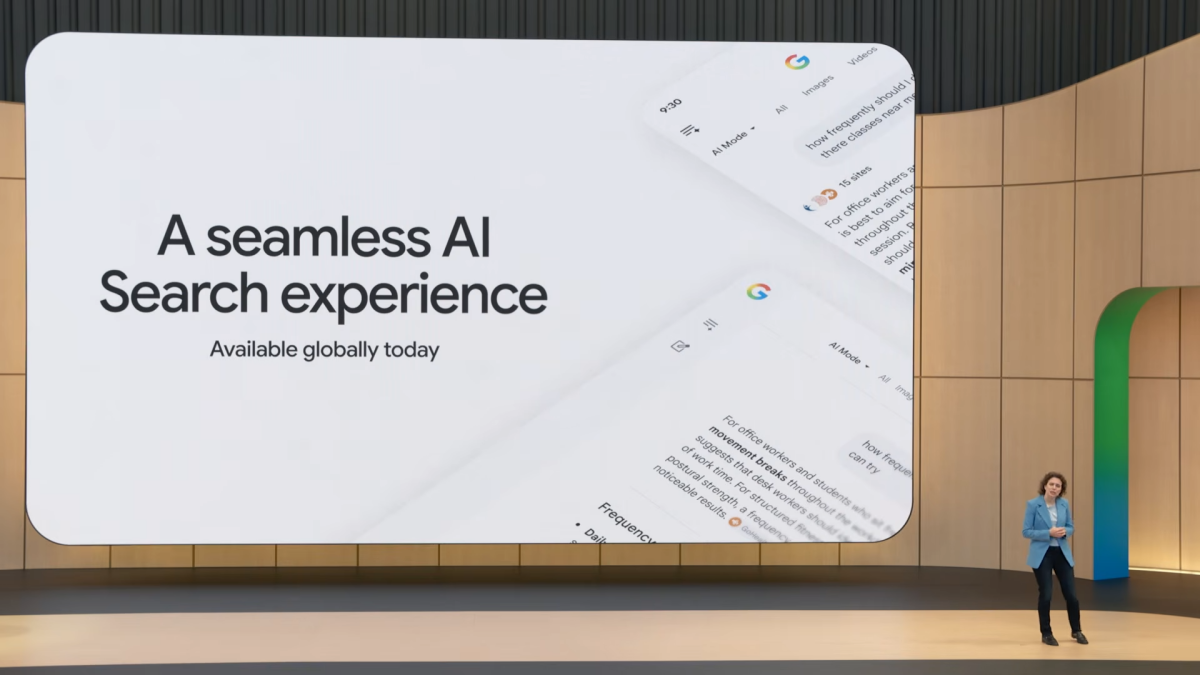

In an era increasingly defined by artificial intelligence, tech giants like Google have fully embraced AI, integrating it into nearly every product. Nowhere is this more apparent than in Google Search. Over the past two years, Google has aggressively rolled out AI summaries, designed to answer your questions directly by extracting information from websites. While convenient for some, this approach often bypasses the need for users to visit and engage with primary sources themselves, leading to a growing sense of detachment from the original content.
heralded a “new era for AI Search,” signaling an even deeper commitment. With the introduction of the Gemini 3.5 Flash model and enhanced features, Google is making its AI-generated results more pervasive—and perhaps harder to circumvent. Users can now seamlessly expand an AI Overview to continue a conversation in “AI Mode,” receiving continuous answers without ever needing to click through to a source. Furthermore, the upcoming “Search agents” promise to take actions on your behalf across the web, further blurring the lines between search and automated assistance.
The Shifting Landscape of Search: AI vs. User Autonomy
Google’s ambition is clear: to make “Search” synonymous with “AI.” While this strategy may delight investors, it risks alienating a significant portion of its user base. Many still turn to search engines seeking direct, relevant links to information, not AI-generated summaries or conversational interfaces. For those who prefer to explore primary sources and maintain control over their information consumption, Google’s AI-first approach feels less like innovation and more like an imposition.
If you, like many, are weary of “continuing the conversation” with an AI and yearn for a search experience that prioritizes direct access to websites, the good news is that alternatives exist. We’ve explored several Google Search alternatives that either eschew AI entirely or empower you to disable its features, putting you back in the driver’s seat.
Kagi: The Power User’s AI-Optional Haven
Kagi has rapidly become a darling among tech enthusiasts who demand granular control over their search experience. Beyond its appealing ad-free environment and extensive customization options, Kagi’s approach to AI is particularly noteworthy. It offers AI features, but crucially, it allows users to engage with them on their own terms or avoid them altogether.
By default, Kagi’s AI “Quick Answer” feature is tucked behind a simple keyboard shortcut: appending a question mark to your query. If you prefer traditional web links, simply omit the question mark, and Kagi will deliver standard results. For ultimate control, you can completely disable the Quick Answer feature in Kagi’s settings, ensuring that even formal questions yield direct website links rather than AI-generated summaries.
Kagi goes a step further with its innovative “SlopStop” option, designed to actively block results that the search engine identifies as AI-generated content, including images and videos. This feature allows users to effectively filter out AI-produced “noise,” returning to a cleaner, link-centric search experience. The only caveat? Kagi operates on a subscription model, starting at $5 per month after your first 100 free searches, a trade-off for its premium, privacy-focused, and AI-controlled features.
Startpage: Privacy First, AI Second
Startpage distinguishes itself with an unwavering commitment to user privacy. This search engine meticulously removes all personally identifying information from your queries before sending them anonymously to its search providers. Results are then returned to you without any data sharing, and your search history is never saved. Startpage’s robust measures are designed to prevent your searches from being tracked across the web, offering a truly private browsing experience.
From an AI perspective, Startpage offers a refreshingly minimal approach. By default, you’ll encounter very few AI features on its web app. While the company mentions an optional AI-powered “Summary” feature for result synopses, many users (including this journalist) find it absent from their settings, suggesting it’s either highly optional or in limited rollout. Startpage’s “Instant Answer” feature, which provides quick facts, appears to be non-AI driven and can also be disabled. Similarly, on mobile apps, optional AI features are mentioned but often not prominently visible in settings. Startpage also offers a separate private AI app called Vanish, but it’s distinct from its core search engine.
Startpage may not boast the extensive feature set of some competitors, but its strength lies in its simplicity and steadfast dedication to privacy, delivering a standard, AI-light search experience right out of the box.
Qwant: Simple AI Control
Qwant offers a straightforward and user-friendly approach to AI in search. Its primary AI feature, “Flash Answer,” provides an AI-generated summary of your query. However, for those seeking an AI-free experience, Qwant makes it remarkably easy to disable.
Upon your initial use, Flash Answer may appear if Qwant’s AI deems it relevant. But crucially, users are given clear options to manage or turn off this feature, ensuring that you maintain control over whether you see AI-generated content or prefer to stick to traditional web results. Qwant’s transparency and ease of AI management make it a solid choice for users who want a clean search experience without the pervasive influence of AI.
Empowering Your Digital Journey
As Google continues its deep dive into AI-driven search, a growing number of users are seeking alternatives that offer greater control, privacy, and a more traditional web-link-focused experience. Kagi, Startpage, and Qwant stand out as excellent choices, each providing distinct advantages in how they manage or allow you to disable AI features. By exploring these options, you can reclaim your search experience, ensuring it aligns with your preferences for information discovery and digital autonomy.
For more details, visit our website.
Source: Link