
Migrate Fitbit to Google: Introduction
If you’re a Fitbit user, you might have heard about the mandatory migration to Google accounts. In this article, we’ll guide you through the process of migrating your Fitbit account to Google, ensuring a seamless transition and minimal data loss.
Why Migrate to Google?
Fitbit has announced that all users must migrate to Google accounts by February 2, 2026, to continue using their devices and services. Failure to do so may result in loss of access to your Fitbit account and data. Therefore, it’s essential to migrate your account to Google to avoid any inconvenience.
Step-by-Step Guide to Migrate Fitbit to Google
Open the Fitbit app on your smartphone (iOS or Android).
- Sign in to your Fitbit account.
- Tap the Settings icon (gear) in the upper right corner of the app.
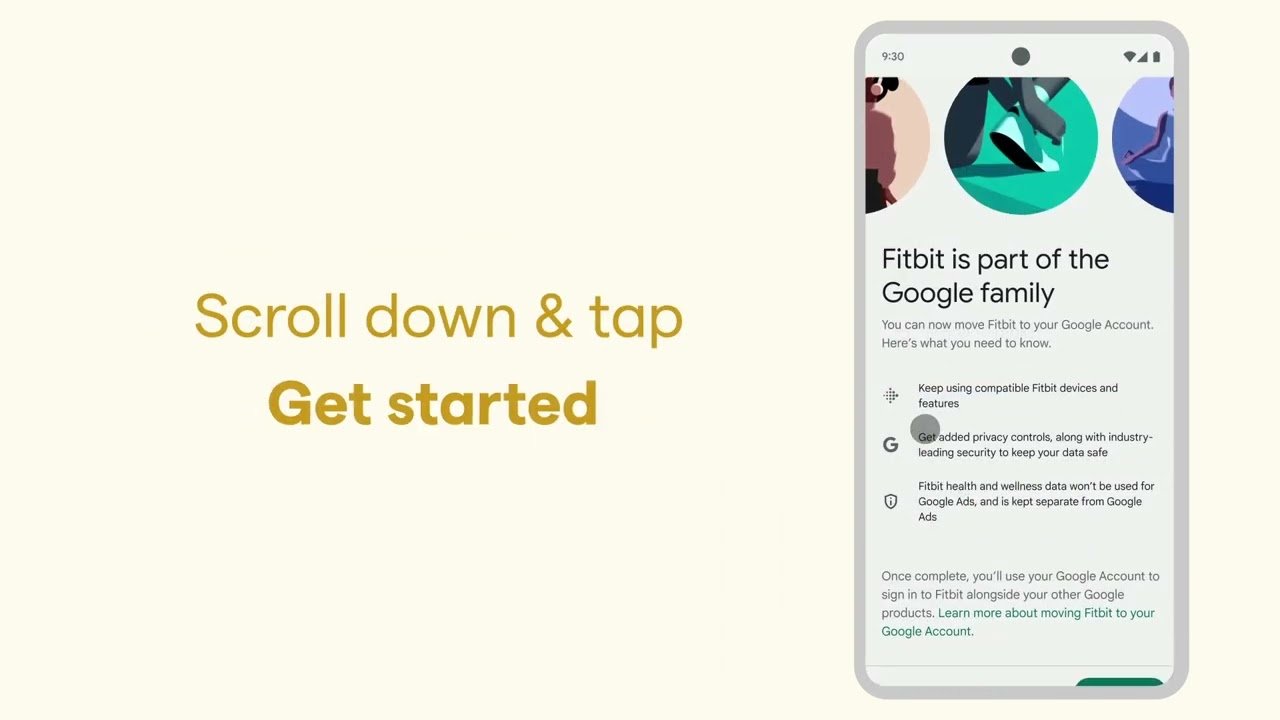
- Select the ‘Move account’ option at the top of the page, featuring Google’s multi-color logo.
- Follow the on-screen instructions to complete the migration process.
Migrating with Multiple Accounts
If you have multiple Fitbit accounts, it’s crucial to migrate them correctly to avoid data loss. Here’s a step-by-step guide:
- Identify the account you want to keep and migrate it to Google first, using the Google account you ultimately want connected to Fitbit.
- Export data from the other account(s) to ensure you don’t lose any important information.
- Follow the same migration process as before, using the Google account you’ve chosen for your primary Fitbit account.
Tips and Precautions
To ensure a smooth migration, keep the following tips in mind:
- Make sure you have the latest version of the Fitbit app installed on your smartphone.
- Use a stable internet connection to avoid any interruptions during the migration process.
- Be patient and follow the on-screen instructions carefully to avoid any errors.
Common Issues and Solutions
If you encounter any issues during the migration process, here are some common solutions:
- Check your internet connection and try again if it’s unstable.
- Restart the Fitbit app and try the migration process again.
- Contact Fitbit support if you’re experiencing persistent issues.
Conclusion
Migrating your Fitbit account to Google is a straightforward process that requires attention to detail. By following the step-by-step guide and tips outlined in this article, you can ensure a seamless transition and continue using your Fitbit device without any issues.
FAQ
- Q: What is the deadline for migrating my Fitbit account to Google?
- A: The deadline for migrating your Fitbit account to Google is February 2, 2026.
- Q: Will I lose my data if I don’t migrate to Google?
- A: Yes, if you don’t migrate your Fitbit account to Google by the deadline, you may lose access to your account and data.
- Q: Can I migrate multiple Fitbit accounts to Google?
- A: Yes, you can migrate multiple Fitbit accounts to Google, but it’s essential to follow the correct steps to avoid data loss.