




Apple’s Magic Mouse: A Critical Look at Its Enduring Flaws
Apple’s Magic Mouse has long been a polarizing peripheral. While its sleek, minimalist design and innovative Multi-Touch surface offer unique gestures that can streamline macOS navigation – allowing for effortless sideways scrolling in spreadsheets or quick mission control access – these advantages often come overshadowed by a series of design choices that leave many users, even dedicated Mac enthusiasts, seeking alternatives. Despite a recent refresh that finally brought USB-C connectivity in 2024 alongside the faster M4 iMac, Apple conspicuously left its most criticized design decisions untouched, perpetuating frustrations that have plagued the device for years.
The Charging Conundrum: A Design Head-Scratcher
Perhaps the most infamous flaw of the Magic Mouse is its charging port placement. Introduced with the rechargeable Magic Mouse 2 in October 2015, the Lightning port (now USB-C) was inexplicably positioned on the mouse’s underside. This means that whenever the mouse runs out of power, it must be flipped over, rendering it completely unusable during charging. While Apple touts a battery life of roughly a month or more between charges, making this an infrequent ordeal, the sheer impracticality remains a significant point of contention. This design choice is particularly puzzling given that Apple’s Magic Keyboard and Magic Trackpad can both be used while plugged in, highlighting an inconsistency that baffles users. Furthermore, Apple offers no clear guidance on the expected lifespan of the Magic Mouse’s integrated rechargeable battery, adding another layer of uncertainty for long-term users.
Ergonomics and Comfort: A Slim Design’s Cost
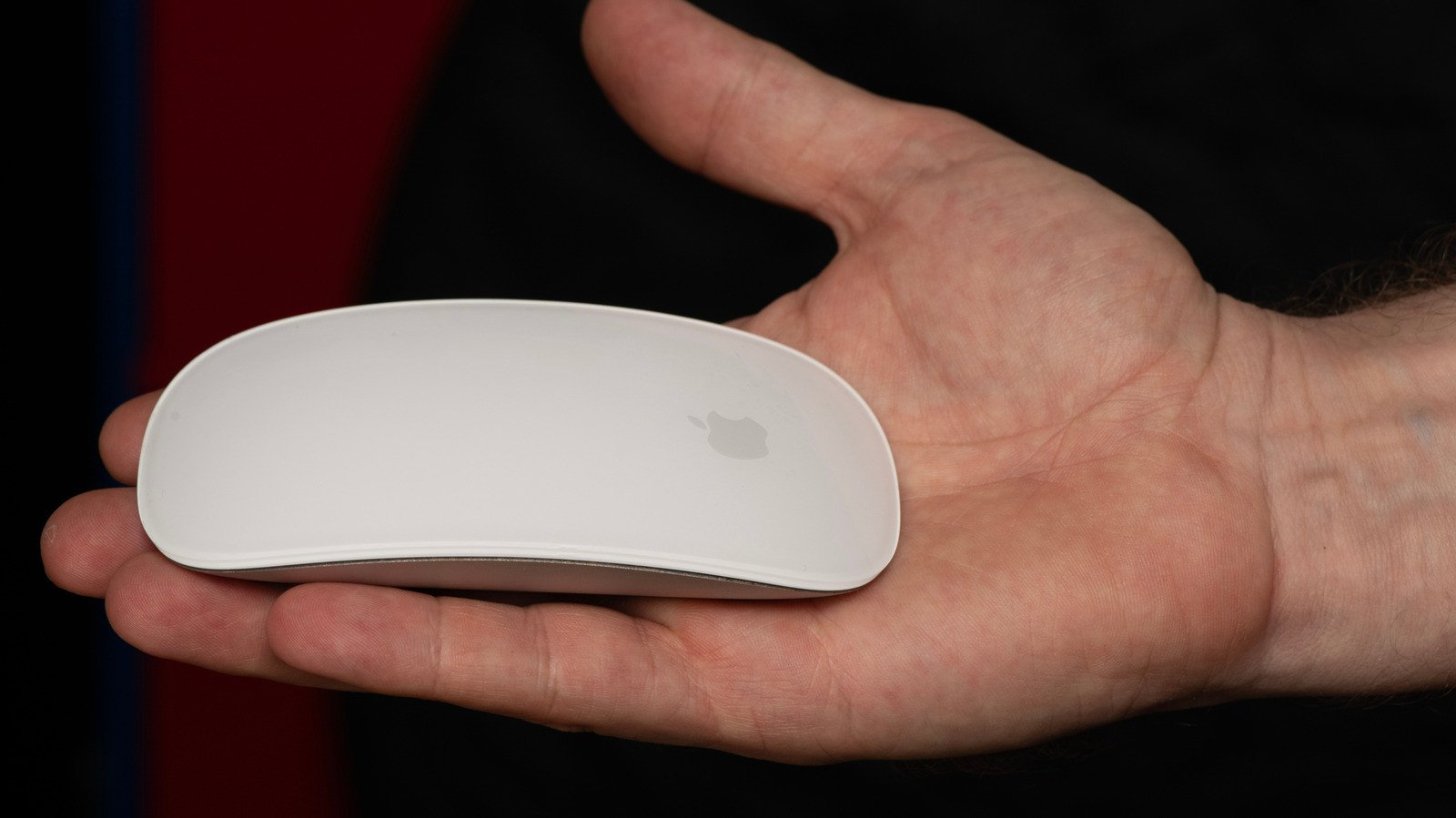
Beyond its charging woes, the Magic Mouse’s physical form factor also draws considerable criticism. Its strikingly slender profile, standing at just 0.85 inches tall, prioritizes aesthetics over ergonomic comfort for many. The lack of substantial palm support can lead to discomfort during extended use, forcing users into unnatural grip styles. Depending on how one holds the mouse, the aluminum edges can press uncomfortably against the fingers. While a ‘fingertip grip’ might mitigate some of these issues, users accustomed to resting their entire hand on a traditional mouse often find themselves having to adjust their grip significantly, leading to potential strain and reduced productivity.
Beyond Gestures: The Button Shortage
The Multi-Touch surface, while enabling intuitive gestures, comes at the cost of conventional button functionality. Despite its premium price tag (starting at $79 for white, $99 for black), the Magic Mouse lacks a middle-click button or programmable thumb buttons. This omission is particularly problematic for professionals using software like CAD, where the middle mouse button is crucial for panning and navigation. While third-party utilities can sometimes add missing features, the necessity of installing extra software to achieve basic functionality expected from a premium device is, to say the least, frustrating. The touch-sensitive surface, while innovative for scrolling, can also lead to accidental swipes due to the absence of physical controls, and some users have reported issues with stuttering and inconsistent tracking, though these may be isolated incidents or linked to macOS updates.
The Alternative Landscape
Fortunately, Apple does not mandate the use of its Magic Mouse with Mac computers. Users are free to explore a wide array of excellent wireless mice from other brands that offer superior ergonomics and more traditional button layouts. For instance, Logitech’s Signature M650, priced at roughly half the cost of the Magic Mouse ($39.99), features a conventional scroll wheel, physical side buttons, and a contoured grip designed for comfort, providing a stark contrast to the Magic Mouse’s glossy, minimalist finish. While these alternatives might mean missing out on some of the Magic Mouse’s unique gestures, the trade-off often results in a significantly more comfortable and functional user experience for daily tasks and professional applications.
In conclusion, while the Magic Mouse undeniably boasts a strong fanbase drawn to its unique Multi-Touch gestures and iconic Apple design, its fundamental flaws – from its impractical charging method and questionable ergonomics to its limited button functionality – continue to make it a challenging daily driver for many. For those spending hours at their computer, the practical shortcomings often outweigh the aesthetic appeal and innovative tricks, prompting a search for more conventional, user-friendly alternatives.
For more details, visit our website.
Source: Link






Leave a comment