




Googlebooks Unpacked: Is Android’s Laptop Debut Worth the Premium Price Tag?
After years of anticipation, Google has finally unleashed its Android-powered laptops, dubbed ‘Googlebooks,’ into the wild. Promising seamless integration with your Android phone, a suite of AI-driven features, and premium hardware, these devices aim to redefine the laptop experience. But for a seasoned ChromeOS user like myself, the burning question remains: do Googlebooks truly differentiate themselves, and more importantly, do they justify their hefty price tag?
A Decade of ChromeOS Meets a New Era
It’s been nearly two and a half years since Google first announced its ambitious migration from ChromeOS to Android for its laptop ecosystem. The official launch of Googlebooks this month marks the culmination of that effort. While Google’s initial reveal in May offered tantalizing glimpses, weeks of hands-on testing have provided a clearer picture of the company’s vision. My time with Googlebooks reveals that while there are undeniable internal benefits for Google and third-party developers in this shift, the value proposition for potential buyers isn’t quite fully realized yet – especially when considering the premium pricing.
First Impressions: The Hardware Story
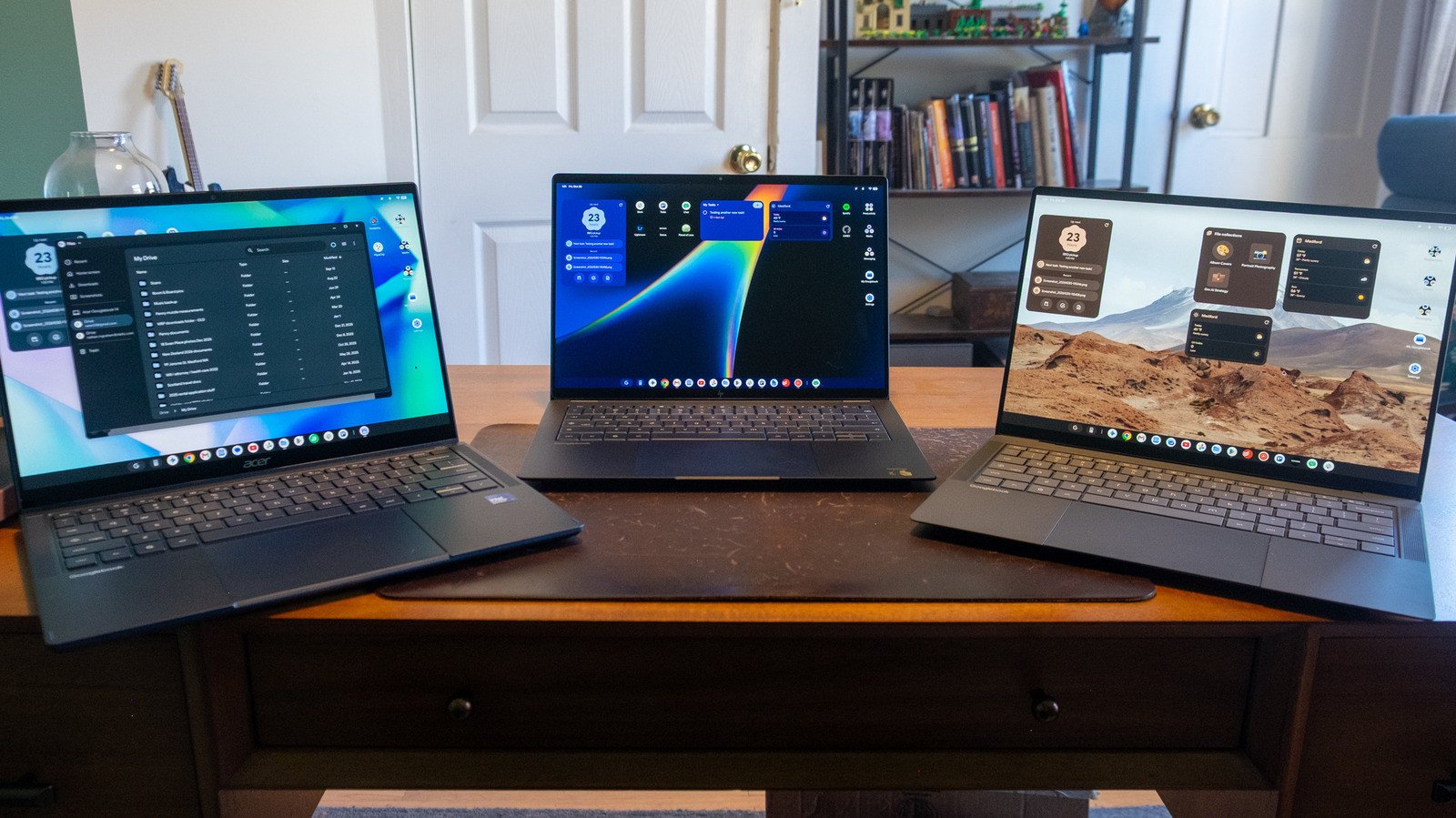
While this isn’t a deep dive into a single device, it’s crucial to acknowledge the impressive hardware accompanying the Googlebook OS launch. My primary testing ground was the $1,299 ASUS Googlebook 14. This ultra-thin and light machine, weighing a mere 2.2 pounds, boasts a stunning OLED touchscreen protected by Corning’s Gorilla Matte glass, effectively minimizing reflections. Under the hood, it packs an Intel Core Ultra 5 chip, 16GB of RAM, and 512GB of storage – a truly premium package that lives up to its price.
I also spent time with the Acer Googlebook 14 and HP’s Googlebook 14, the latter featuring a Snapdragon X Elite X1E-80-100 processor. Performance across both Intel and Qualcomm models felt remarkably similar, though the HP anecdotally offered better battery life and quieter fan operation. These devices are unequivocally positioned as premium computers, and their pricing reflects this ambition. The Acer Googlebook 14, at $899, is the most affordable option, yet it still surpasses the cost of most Chromebooks currently on the market. While Googlebooks are slated to eventually replace ChromeOS, suggesting future, more budget-friendly iterations, for now, they represent a strictly high-end experience.
This premium positioning is critical to my evaluation. It’s easy to overlook minor limitations in a $400-$500 Chromebook, but when you’re in the $1,000+ bracket, Googlebooks face stiff competition from more versatile Mac and Windows PCs.
Seamless Integration: The Out-of-Box Experience
Setting up a Googlebook is designed to be intuitive, leveraging the deep ties between your Android phone and the new laptop OS. The initial prompt encourages setup via an Android device (or even an iPhone/iPad). Opting for my Pixel 11, a notification instantly appeared, asking if I wanted to use it for setup. The Googlebook, meanwhile, displayed a QR code ready for scanning.
After a quick scan, the laptop connected to Wi-Fi, prompting me to use my phone’s Google account. A few confirmations later – name, profile picture, login password, and fingerprint setup – I was asked to copy apps and data from my phone. This process was surprisingly swift, though a ‘customize’ option is available for granular control. The setup concluded with a brief tour of Gemini-powered features like Magic Pointer and Quick Insert, alongside voice chat with Gemini Live. Establishing the phone-to-laptop connection for notifications and file access was also straightforward, requiring minimal permissions on both devices.
A Familiar Yet Evolving Desktop
Upon completion, the desktop environment felt remarkably similar to ChromeOS, which is both a comfort and a point of curiosity. A familiar taskbar graces the bottom, populated with shortcuts to essential apps like Chrome, Gemini, and Gmail, alongside other Google services. The interface is clean and responsive, but the true test will be how Android’s vast app ecosystem translates to a laptop form factor and whether the promised AI integration truly elevates the user experience beyond what ChromeOS already offered.
While the initial hardware impresses and the setup process is remarkably smooth, the Googlebook OS itself still feels like a work in progress. The potential for a deeply integrated Android laptop experience is immense, but Google has its work cut out to convince consumers that this premium offering is a superior alternative to established ecosystems, especially given its current price point. The journey from ChromeOS to Googlebooks has begun, but the destination for mainstream appeal is still some way off.
For more details, visit our website.
Source: Link






Leave a comment