
In the digital age, a Virtual Private Network (VPN) acts as your personal cybersecurity funnel, channeling your online traffic through an encrypted tunnel, safeguarding your data from prying eyes. This fundamental trust in your VPN provider is paramount. Yet, what happens when the funnel itself is a trap, designed to siphon off the very data it promises to protect?
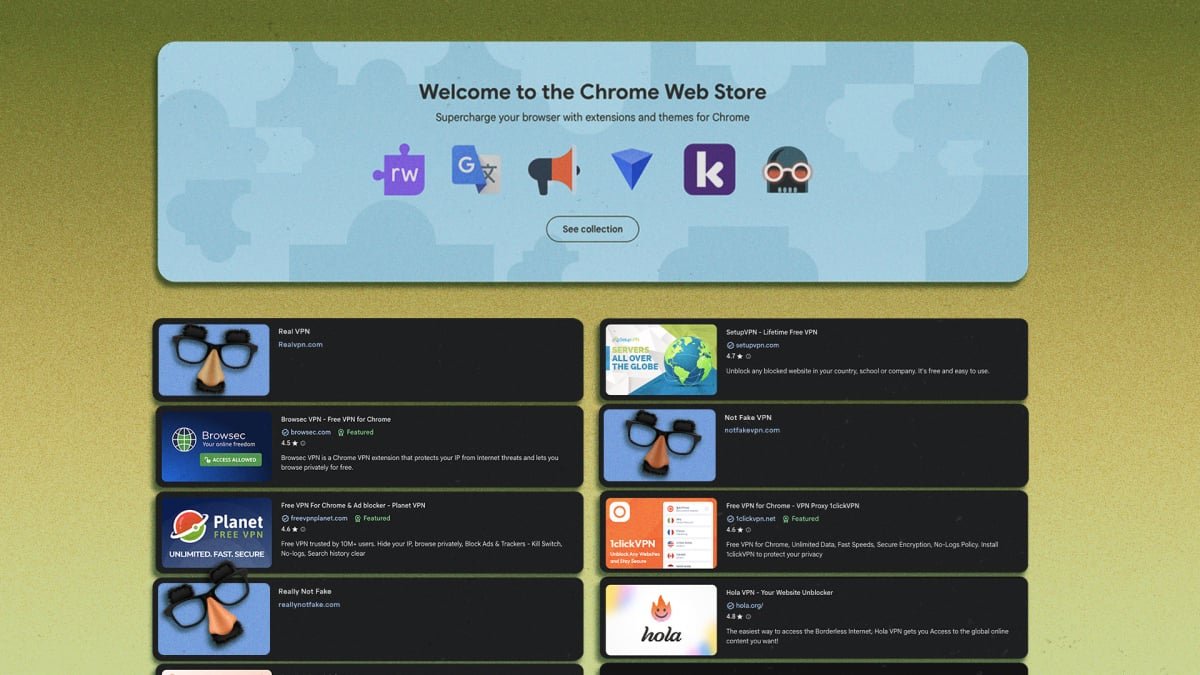
A recent alarming discovery by the cybersecurity firm Socket reveals a pervasive threat lurking within the Chrome Web Store: over 700 fraudulent VPN applications. These deceptive extensions, some free, some paid, and many brazenly impersonating reputable cybersecurity brands, are luring unsuspecting users into a guaranteed security breach rather than offering protection.
The Alarming Scale of Deception
Socket’s threat research team meticulously analyzed 737 suspicious Chrome extensions masquerading as VPNs and SOCKS5 proxy servers. Their investigation unearthed a disturbing array of malicious tactics:
- Paid apps selling access to non-existent VPN servers.
- Extensions designed to hijack proxy settings, enabling comprehensive tracking of online activity.
- Widespread impersonation of trusted VPN providers such as NordVPN, Surfshark, ExpressVPN, and Proton VPN.
These fake extensions were published by a mere 40 developer accounts, yet managed to accumulate a staggering 75,486 installs on the Chrome Web Store. A deeper dive into 525 of these apps, which collectively accounted for 58,318 active installs, exposed critical vulnerabilities and outright fraud.
Unmasking the Malicious Mechanisms
Socket’s detailed code analysis revealed several insidious practices:
- Brand Plagiarism: A shocking 274 out of 525 extensions blatantly copied the branding and logos of 66 well-known VPN platforms, including CyberGhost and TunnelBear, to deceive users.
- Targeted Impersonation: Two extensions specifically mimicked AmneziaVPN and AntiZapret, services often used to circumvent internet censorship, indicating a deliberate attempt to exploit users seeking enhanced privacy.
- Compromised Traffic Routing: Many extensions routed all user activity through a single, fixed SOCKS5 proxy without offering split tunneling or per-site controls, effectively centralizing all traffic through a potentially compromised server.
- DNS Evasion: 104 extensions employed documented DNS-over-HTTPS evasion techniques to bypass Chrome’s blocklists by spoofing their DNS records, a clear sign of malicious intent.
- Phantom Servers: Numerous “premium” VPNs advertised private servers in locations like Japan, Singapore, and Canada. However, DNS lookups by Socket confirmed these servers simply did not exist.
- Non-existent License Verification: Paid subscriptions offered by these fake VPNs lacked any internal license verification, allowing users to access “premium” features without payment – a red flag for any legitimate service.
- Blatant Fraud:
One extension, “Burёnka VPN,” was found to route no traffic at all, functioning merely as a fake user interface. Another contained a plaintext comment revealing developers’ intent to bypass Chrome Web Store rejections by offering a Telegram bot alternative, demonstrating a clear awareness of policy violations.
How Did They Slip Through Google’s Net?
The sophistication of these attacks isn’t in their technical prowess, but in their cunning exploitation of review processes. These developers, many of whom have had previous extensions removed following similar reports (like one from Palo Alto Networks in June), have mastered the art of evading detection through trial and error. The barrier to entry remains alarmingly low; opening a new developer account on the Chrome Web Store costs a mere $5. This minimal investment allowed 40 developer accounts to flood the store with over 700 fake extensions, reaching tens of thousands of users.
Protecting Your Digital Funnel
Given this landscape, vigilance is crucial. Here are essential tips to safeguard your online privacy:
- Stick to Reputable Providers: Download VPNs directly from the official websites of well-known, trusted providers. Avoid installing extensions solely based on Web Store searches.
- Read Reviews Critically: While fake reviews exist, look for consistent patterns of negative feedback or overly generic positive reviews.
- Check Developer Information: Scrutinize the developer’s profile. A history of multiple removed apps or very new accounts with many similar extensions should raise suspicion.
- Understand Permissions: Be wary of VPN extensions requesting excessive or unusual permissions that go beyond basic network access.
- Verify Server Claims: If a VPN offers specific server locations, a quick online search can often confirm the legitimacy of their infrastructure.
- Consider Desktop Clients: For robust security, prioritize full VPN applications over browser extensions, as they typically offer more comprehensive protection.
The proliferation of fake VPNs on the Chrome Web Store underscores the constant battle against cyber threats. By understanding the tactics of these malicious actors and adopting proactive security measures, users can ensure their digital funnels remain secure and their online privacy truly protected.
For more details, visit our website.
Source: Link