
As a tech journalist, the allure of cutting-edge displays—be it a vibrant OLED gaming screen or a breathtaking 6K professional monitor—is undeniable. Yet, the reality for most consumers is far simpler: they need an affordable monitor that performs reliably without demanding a premium price. It’s a quest for functionality over extravagance, a screen that’s neither an eyesore nor a financial burden.
The challenge, however, lies in finding these unsung heroes. Budget monitors rarely grace the headlines or feature prominently in manufacturer showcases. They require a dedicated search, a deep dive into the market to unearth options that truly deliver value. After considerable hunting, I’ve identified three impressive screens that prove you don’t need to spend a fortune for a quality viewing experience.
Navigating the Budget Monitor Landscape
When the term “budget monitor” comes up, we’re typically talking about anything priced below $200. In today’s market, monitors under $100 almost exclusively offer a 1920 x 1080 (Full HD) resolution, commonly found in 23.8-inch or 27-inch sizes. Stepping up to a 32-inch display, even at the most economical end, will generally push you past the $100 mark.
What to Expect Under $200
While sub-$100 options exist, I recommend aiming slightly higher if your budget allows. The $100-$200 bracket opens up a world of flexibility, allowing you to prioritize features like higher resolution, integrated USB-C hubs, elevated refresh rates, or superior ergonomic adjustability. It’s within this sweet spot that truly impressive value can be found.
Top Picks: Impressive Screens Without Breaking the Bank
Dell 27 Plus (S2725HSM): The Ergonomic Workhorse
Price: $175 (often on sale for $140)
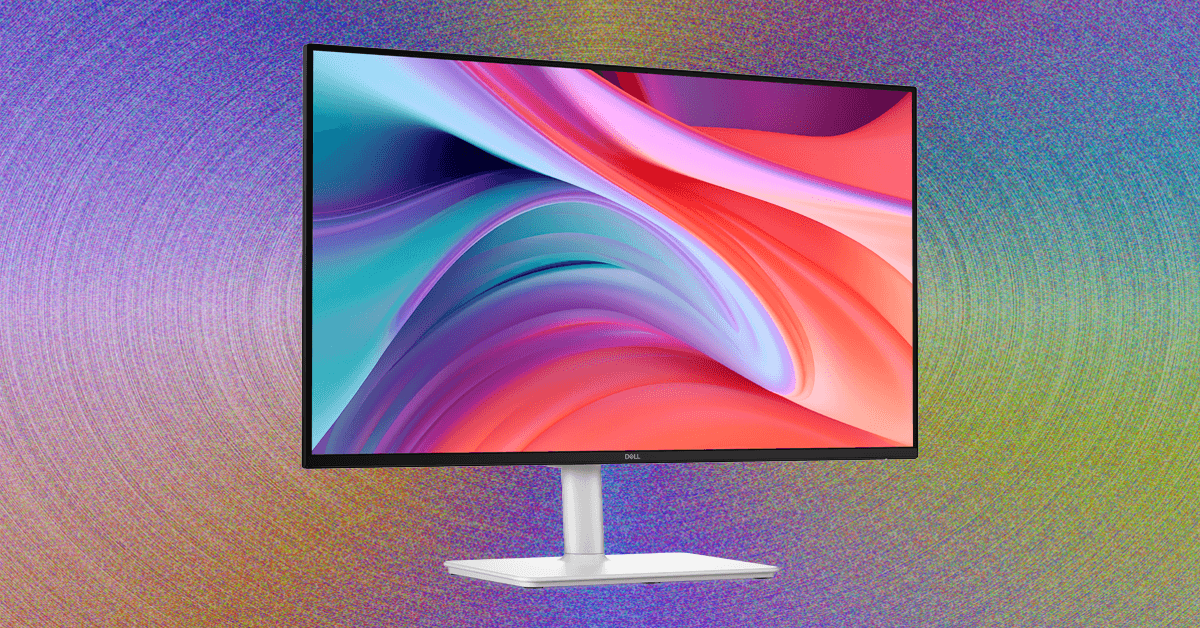
My journey into budget monitors begins with the Dell 27 Plus (S2725HSM), a monitor that immediately felt familiar and impressive. As a long-time admirer of its 4K sibling, which consistently ranks high on my list for best overall monitors, this more affordable iteration carries forward many of its best qualities. It boasts a highly adjustable stand, a clean, sleek white design, and remarkably solid image quality for its price point.
At its standard price of $175 (and sometimes even lower at $140), the Dell 27 Plus delivers robust color performance and a respectable 300 nits of brightness. Its standout feature is undoubtedly the stand, offering height adjustment and swivel capabilities, alongside a built-in VESA mount for further customization. This makes it an exceptionally practical addition to any workstation.
The primary limitation lies in its connectivity: only two HDMI ports. This means peripherals will need to connect directly to your laptop or via an external USB hub. Despite this, for a feature-rich 1080p monitor, the Dell 27 Plus stands out as one of the best values available.
A notable alternative to the Dell 27 Plus, featuring a built-in USB hub, is the Samsung Essential Monitor S4. While I haven’t personally tested it, it offers 1080p resolution and height adjustability at a similar price, though with a slightly lower claimed brightness of 250 nits.
MSI Pro MP273QW E14: Pixel Powerhouse for Less
Price: $190
Stepping into the $150-$200 range doesn’t necessarily mean sacrificing resolution. The MSI Pro 27 (MP273QW E14) is a prime example, offering a crisp 2560 x 1440 (QHD) resolution for just $190. This MSI monitor not only provides a significant leap in pixel density but also delivers truly fantastic image quality—so good, in fact, that it could easily serve the needs of content creators and photographers on a tight budget. Its brightness is also a highlight, reaching an impressive 427 nits, surpassing other monitors I’ve tested in this category.
The main trade-offs here are adjustability and ports. The MSI Pro 27 lacks built-in USB ports for peripherals and offers no height or swivel adjustment. Its static stand means you might need an external monitor stand to achieve optimal ergonomics. While it supports VESA mounting for monitor arms, the mount itself isn’t included.
The Best Budget Gaming Monitor
Lenovo Legion R27fc-30: High Refresh Rates on a Dime
Price: $190 (often on sale from $240)
My exploration of affordable displays also led me to the Lenovo Legion R27fc-30, a monitor that genuinely surprised me with its quality, especially for gaming. Often, budget gaming laptops come with subpar screens, but this monitor far exceeded my expectations. It boasts over 300 nits of brightness and color performance on par with the impressive MSI Pro 27.
What sets the Legion R27 apart is its blistering 280 Hz refresh rate, making it ideal for fast-paced 1080p gaming. It also features a subtle 1500R curve, which provides a gentle sense of immersion without being overly aggressive for its size and aspect ratio.
A unique characteristic of the Legion R27 is its glossy finish, rather than the typical matte layer. I personally prefer glossy screens for their clarity, though it’s worth noting that they can be more prone to glare and reflections if placed near windows or under bright lights. This monitor utilizes a VA (Vertical Alignment) panel, which offers excellent contrast but typically has more limited viewing angles. You’ll notice a shift in color and brightness if you move your head too far to the side.
Final Thoughts
Finding a monitor that balances performance, features, and affordability can be a daunting task. However, as these three impressive screens demonstrate, the budget segment is far from barren. Whether you prioritize ergonomic flexibility, pixel-packed resolution, or lightning-fast gaming, there are excellent options available under $200 that prove you don’t have to compromise on quality to stay within your budget.
For more details, visit our website.
Source: Link