



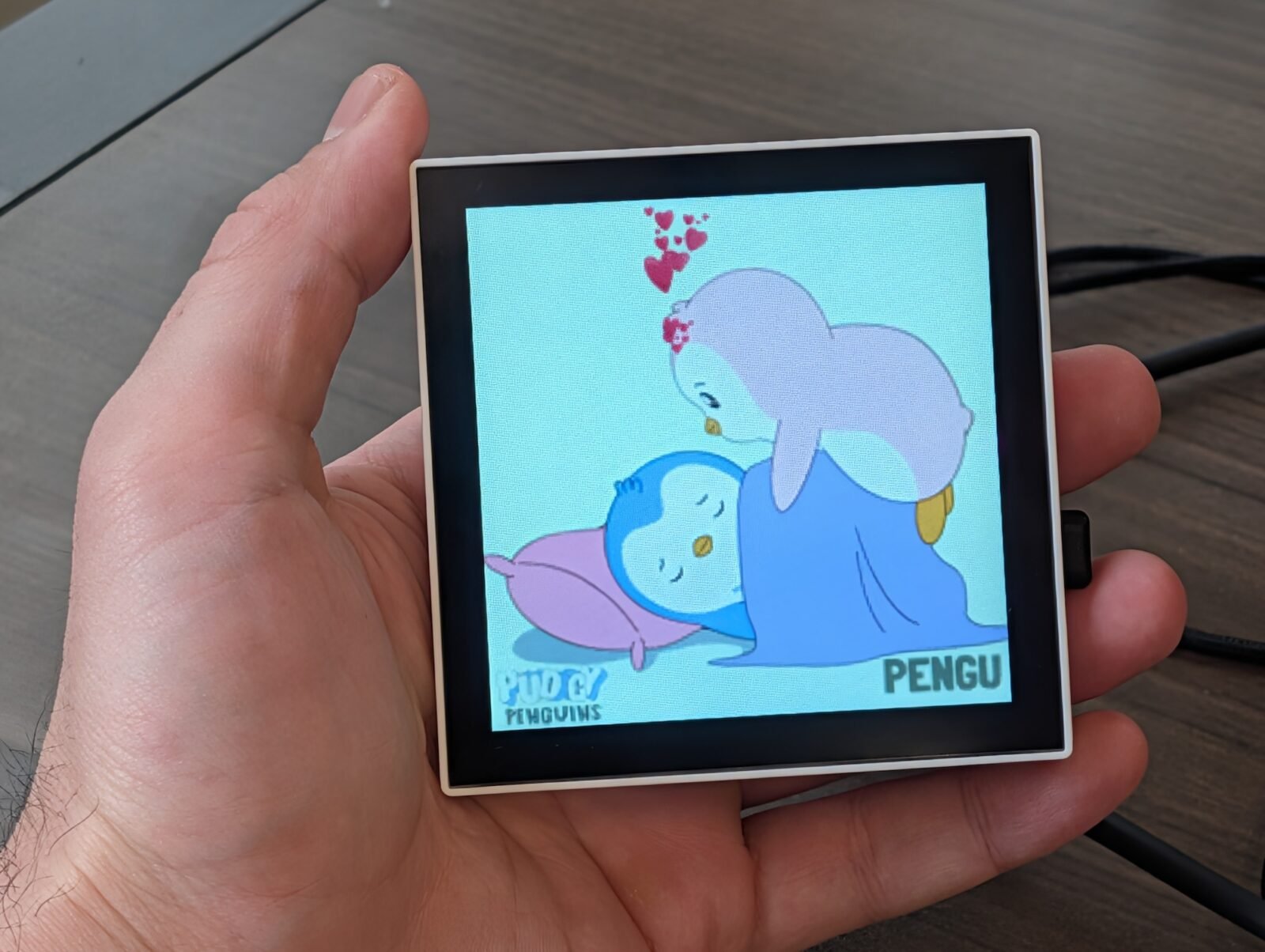

In an age where digital art reigns supreme, the Desktop Pixel Art Player p3a emerges as a charming and sophisticated companion for any desk. This innovative device offers a captivating way to bring animated pixel art to life, transforming your workspace into a dynamic gallery of digital creativity.
What is the p3a? Your Personal Pixel Art Companion
The p3a is more than just a gadget; it’s a dedicated 4-inch screen designed to continuously display animated pixel artworks, often referred to as “gifs.” Once set up, it operates autonomously, periodically fetching new content from the internet to keep your visual experience fresh and engaging. Whether you’re looking for a burst of energy with “party” gifs or a calming backdrop with “work” themed animations, the p3a allows you to configure various “playsets” to perfectly match any mood or moment.
Beyond its primary function, the p3a boasts a unique bonus feature: it can double as a specialized 4-inch monitor for PICO-8 games, offering a nostalgic retro gaming experience right on your desk. (Photography by Fabrício Kury)
Seamless Content Integration
- Giphy.com: Connects directly to Giphy for a vast library of animated content.
- Makapix.Club: Integrates with this open-source pixel art social network, fostering a community experience.
- Offline Files:
Offers the flexibility to upload and play your own curated pixel art files.
The Engineering Marvel Behind the Pixels
Beneath its user-friendly exterior, the p3a is a powerhouse of modern embedded technology. It leverages the formidable ESP32-P4, currently the most capable variant of the ESP32 series, to deliver its impressive performance. A deep dive into its architecture reveals a suite of advanced techniques and technologies:
- Multi-buffered Display Pipeline: Ensures smooth, freeze-less, and gapless playback of animations.
- Extensive File Format Support: Compatible with GIF, WEBP, PNG, and JPEG, including full support for animations (GIF/WEBP) and alpha channels (WEBP/PNG).
- Robust Security: Implements Mutual TLS (Transport Layer Security) for secure client-server authentication.
- Local Web Hosting: Utilizes Multicast DNS to host a local website at
http://p3a.local/for easy access. - Effortless Wi-Fi Configuration: Features a Soft Access Point with Captive Portal for straightforward network setup.
- Future
-Proof with OTA Updates:
Supports Over-The-Air (OTA) updates via GitHub Releases, ensuring your device always has the latest features. - Browser-Based Flashing: Simplifies firmware installation using WebSerial directly from your browser—no complex software or command lines needed.
- PICO-8 Game Streaming: Employs WebSockets to stream PICO-8 games wirelessly over Wi-Fi.
- Dynamic Online APIs: Connects to Makapix.Club (MQTT) and Giphy.com (HTTPS) for continuous content updates.
Getting Started: Simplicity at Your Fingertips
Despite the sophisticated technology under the hood, the p3a project is designed for accessibility. You don’t need to be a tech wizard to get started. The process is streamlined and user-friendly, inviting everyone to:
- Obtain the Hardware: Gather the necessary components.
- Insert the MicroSD Card: Prepare your storage.
- Flash the p3a Firmware: A simple, browser-based process.
- Connect to Your Wi-Fi: Easy network integration.
- Connect to Giphy and Makapix Club: Unlock a world of content.
- Start Using Your p3a: Enjoy your new desktop companion!
Embrace the charm of pixel art and the power of modern tech with the Desktop Pixel Art Player p3a – a project that promises fun, engagement, and a touch of digital artistry for your everyday environment.
For more details, visit our website.
Source: Link






Leave a comment