



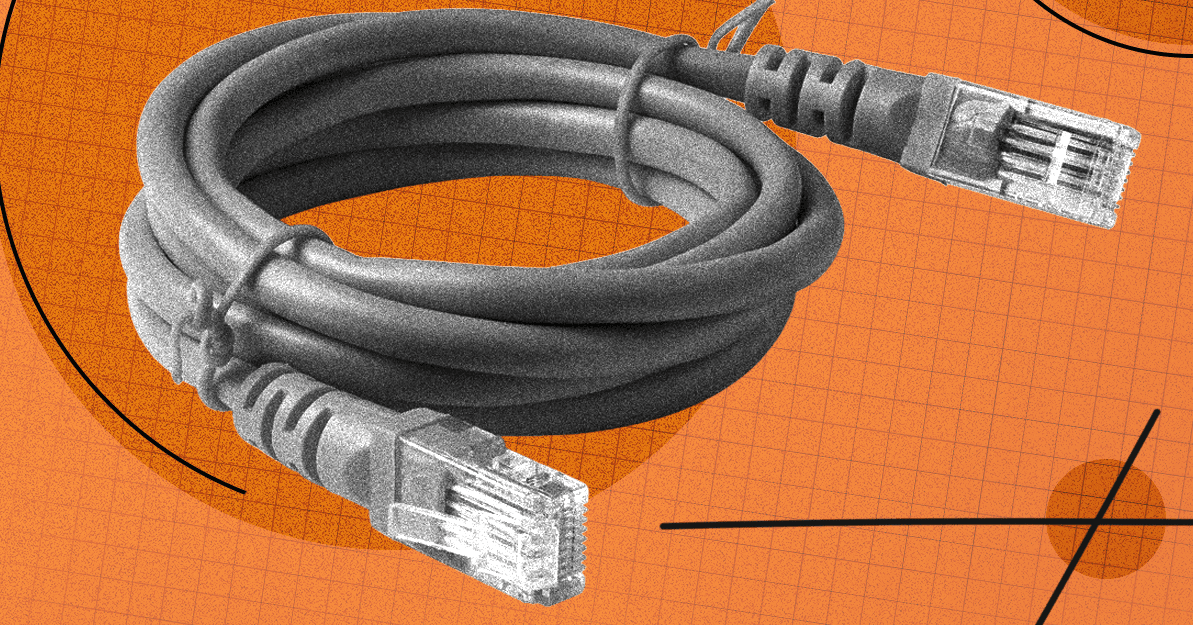

In an increasingly connected world, a robust and reliable internet connection is paramount. While the convenience of Wi-Fi is undeniable, savvy users know that a wired Ethernet connection offers unparalleled speed, stability, and security. Whether you’re a hardcore gamer, a remote worker, a smart home enthusiast, or simply seeking to eliminate buffering, running Ethernet cables is the definitive solution. But the thought of unsightly wires snaking through your home can be a deterrent. Fear not! This comprehensive guide will equip you with the knowledge to plan, install, and discreetly hide your Ethernet cables, transforming your home network into a seamless, high-performance ecosystem.
The Undeniable Edge of Wired Connections
Before diving into the practicalities, it’s crucial to understand why a wired connection often trumps its wireless counterpart. Ethernet provides a direct, dedicated pathway for data, minimizing latency, maximizing bandwidth, and reducing interference – factors that are critical for demanding applications like 4K streaming, online gaming, large file transfers, and ensuring the reliability of smart home devices. While Wi-Fi offers flexibility, a strategically placed Ethernet cable ensures your most critical devices receive the best possible connection.
Understanding Network Speed: A Crucial Foundation
It’s a common misconception that simply upgrading your internal network gear will magically boost your internet speed beyond your provider’s limits. Remember, your overall internet bandwidth is capped by your incoming service connection. If you subscribe to a 1-Gigabit-per-second (Gbps) plan, you won’t exceed that speed when accessing the internet, regardless of your internal setup. However, a high-speed internal network significantly enhances file transfers between devices on your local network. Crucially, your network’s performance is always dictated by its weakest link – be it the Ethernet port on your router, the cable itself, an Ethernet switch, or the port on your connected device. Ensure all components are rated for the desired speed to avoid bottlenecks.
Selecting the Right Ethernet Cables for Your Home
Choosing the correct Ethernet cable is fundamental to a successful wired network. Thankfully, quality cables don’t have to break the bank. Here’s what to consider:
Cable Categories: Matching Speed to Your Needs
Ethernet cables are categorized by their performance capabilities:
- Cat 5e & Cat 6: Ideal for most standard home networks, supporting speeds up to 1 Gbps. Cat 6 offers slightly better performance over longer distances.
- Cat 6a & Cat 7:
A future-proof choice for main runs (e.g., from router to a central switch), capable of 10 Gbps. The marginal price difference makes these an excellent investment for increased future demands.
- Cat 7a & Cat 8: Offering speeds up to 40 Gbps, these are generally overkill and significantly more expensive for the average residential setup.
For primary connections, opting for Cat 6a or Cat 7 provides a robust foundation without excessive cost.
Shielding: When is it Necessary?
Most home users will find Unshielded Twisted Pair (UTP) cables perfectly adequate. These cables feature twisted wire pairs encased in a plastic jacket. Shielded Twisted Pair (STP) or Foiled Twisted Pair (FTP) cables, which include metallic or foil shielding, are designed to protect against electromagnetic interference (EMI). You’ll typically only need shielded cables if your runs are alongside power lines, fluorescent lights, or other significant sources of electrical interference. Keep in mind that shielded cables are often less flexible and can be more susceptible to damage if improperly installed.
Cable Shape: Prioritizing Durability
While flat Ethernet cables might seem appealing for their discreet profile, they are generally more prone to interference and physical damage. For long-term reliability and performance, traditional round cables are recommended. Regardless of shape, always avoid sharp kinks, excessive bending, or placing cables in high-traffic areas where they might be stepped on or crushed, as this can compromise their integrity.
Reputable Manufacturers
Stick to well-known brands for reliability, but avoid overspending. Brands like Cable Matters, Monoprice, and Amazon Basics often provide excellent value and performance.
Expanding Your Network: The Role of an Ethernet Switch
Routers and mesh systems typically offer a limited number of Ethernet ports. If you need to connect multiple wired devices beyond what your router provides, an Ethernet switch is your solution. These devices effectively turn one Ethernet port into many. For most home networks, an unmanaged, plug-and-play switch is sufficient, requiring no complex configuration. Consider purchasing a switch with one or two more ports than you currently need to accommodate future expansion. Larger switches (12, 24 ports) are available for more extensive setups, but remember that the total available bandwidth will be shared among all connected devices. Managed switches offer advanced features like port prioritization and security settings but are generally unnecessary for standard home use.
Strategic Planning for Seamless Cable Runs
Before you begin laying cables, meticulous planning is key to a tidy and efficient network. Consider these vital points:
- Minimize Bends: Sharp kinks and twists can damage the internal wires of an Ethernet cable, degrading performance. Plan routes that allow for gentle curves.
- Avoid High-Traffic Zones: Cables placed where people frequently walk or where furniture might roll over them are susceptible to damage. Opt for discreet, out-of-the-way paths.
- Steer Clear of Electrical Interference: While less common with modern cables, it’s good practice to keep Ethernet runs separate from power lines and other potential sources of electromagnetic interference to ensure optimal signal integrity.
Investing in basic cable management tools like cable ties, clips, and Velcro straps from the outset will make your installation much neater and easier to maintain.
Mastering the Art of Hiding Ethernet Cables
The true mark of a professional installation is how effectively cables are concealed. Here are several techniques to integrate your wired network seamlessly into your home:
Along Baseboards: A Classic Approach
One of the simplest and most common methods is to run cables neatly along the top or bottom edge of your baseboards. Use adhesive cable clips or small brad nails (carefully, avoiding the cable itself) to secure the cable, ensuring it blends into the room’s aesthetic. Paintable cable covers can further enhance discretion.
Under Carpets or Rugs: Temporary Concealment
For temporary or less permanent runs, tucking a flat (though less recommended for performance) or thin round cable under a rug or along the edge of a carpet can work. Ensure the cable isn’t in a high-traffic path where it could be damaged or create a tripping hazard. Specialized flat cable covers can also be used over carpets.
Utilizing Cable Raceways: A Clean Solution
Cable raceways (also known as cable channels or conduits) are adhesive-backed plastic channels that adhere to walls or ceilings. They offer an excellent way to protect and conceal cables, providing a professional finish. Many raceways are paintable, allowing them to match your wall color perfectly.
Integrating with Crown Molding: Elegant Discretion
For a truly integrated look, consider running cables behind or within existing crown molding. Some crown molding designs even feature hollow channels specifically for this purpose. This method requires a bit more effort but yields a virtually invisible installation.
Behind Walls or Under Floors: The Ultimate Stealth
For the most permanent and invisible solution, running cables through walls or under floors is the gold standard. This typically involves drilling small holes, using fish tape to pull cables, and installing wall plates with Ethernet jacks. While more labor-intensive and potentially requiring professional help, the result is a completely hidden network infrastructure.
Concealing Switches and Power Strips
Don’t let your efforts be undone by visible network switches or power strips. Utilize cable management boxes, mount switches to the underside of desks or inside cabinets, and use Velcro straps to bundle excess cable. Strategic placement behind furniture or within media consoles can keep these essential components out of sight.
Conclusion
Embracing a wired home network offers a significant upgrade in performance, reliability, and security over an exclusively Wi-Fi setup. By carefully choosing your cables, planning your routes, and employing smart concealment techniques, you can enjoy all the benefits of a high-speed Ethernet connection without compromising your home’s aesthetics. Say goodbye to buffering and hello to a truly optimized digital experience!
For more details, visit our website.
Source: Link





Leave a comment