




In an increasingly connected world, our reliance on technology often comes with an unwelcome side effect: a sprawling jungle of wires and cables. While our gadgets promise convenience, their power and data conduits can quickly transform a pristine workspace into a chaotic mess. As a seasoned gadget reviewer, I’ve battled—and conquered—more cable clutter than most, developing a rigorous strategy to maintain order amidst the digital deluge. Here’s how you can reclaim your desk from the tyranny of tangled wires, complete with my top tips and product recommendations.
The Foundation: Planning Your Cable Conquest
Before you can bring order to the chaos, you must first understand it. Begin by surveying your current setup. Unplug everything, untangle the inevitable knots, and ruthlessly remove any cables or devices that no longer serve a purpose. You might be surprised to discover long-forgotten USB-B or Micro-USB cables lurking in the depths! Once the purge is complete, take a slightly damp microfiber cloth and wipe down all surfaces and cables. This fresh start is crucial for planning optimal cable routes and identifying which wires can be bundled together.
Ideally, cables should be precisely the length you need. If you have spares or are willing to invest in new ones, opting for exact lengths will significantly reduce the excess you need to conceal. For those with standing desks, a critical consideration is ensuring sufficient cable length for the fully extended standing position. Trust me, there’s nothing worse than your desk rising only to yank your PC tower into the air by a now-permanently-stuck DisplayPort cable.
Mastering the Maze: Essential Cable Management Techniques
Effective cable management is the cornerstone of a tidy tech setup. Start by utilizing any built-in features your desk offers, such as channels, grommets, or power strip trays. Many modern monitor arms also integrate cable routing solutions. Next, gather your arsenal of cable ties. While any tie will do, Velcro-style options are my personal favourite due to their reusability and adjustability, accommodating everything from single wires to thick bundles (you can even combine two for extra-large groupings).
For an excellent all-rounder, consider the **Ikea Trixig 150-Piece Cable Management Set** ($8 at Ikea). This affordable kit offers a versatile range of cable clips, both nail-in and adhesive-backed, in black and white, suitable for various scenarios.
When you have a cluster of cables following the same path, a cable sleeve is your best friend. The **Alex Tech 10-Foot Cable Sleeve** ($9 on Amazon) is a fantastic choice. Its mesh design allows for easy access if you need to swap a cable, it’s simple to cut to length, and it provides a remarkably neat finish.
For more structured cable runs, particularly along walls or under desks, plastic raceways are invaluable. The **D-Line Mini Cable Trunking 4-Meter Pack** ($27, 10% off on Amazon) comes in various sizes and shapes, including bends, allowing you to create a custom cable pathway. They’re easy to open, offer ample room for several cables, and can even be painted to seamlessly blend with your decor.
Vanishing Acts: Concealing Power Strips and Adapters
Ugly power strips are often the biggest culprits in desk clutter. Fortunately, several effective solutions exist. Many power strips feature mounting holes on the back, allowing you to secure them out of sight using screws or hooks behind your desk.
An under-desk tray is often the most elegant solution, especially for standing desks. The **Ikea Forsasong Cable Management Tray** ($10 at Ikea) clamps to most desks, but it’s always worth checking if your desk manufacturer offers a custom-designed option.
Alternatively, if you prefer your power strips to sit on the floor, unobtrusive cable management boxes are ideal. I highly recommend the **Chouky 2-Pack Large Cable Management Box** ($26, 30% off on Amazon). These boxes feature easy-to-remove bamboo lids and side openings for cables, blending functionality with aesthetic appeal.
One final, invaluable tip: label your plugs! A label maker, a sheet of labels, or even just white tape and a Sharpie can save you immense frustration later, eliminating the trial-and-error method when you need to unplug a specific device.
Reclaiming Your Workspace: Desktop Decluttering
A clear desktop fosters a clear mind. I find my productivity soars when my workspace is free of unnecessary clutter. While some essentials need to be within reach, I’m a strong advocate for clamping accessories to the desk to maximize surface area.
For iPhone users with MagSafe or Qi2-compatible phones, the **Scosche MagicMount Charge Pro** ($50, 29% off on Amazon) is a game-changer. This handy wireless charger keeps your phone neatly out of the way, featuring a strong suction pad for secure desktop adhesion, integrated cable management on the back, and a couple of adhesive-backed cable clips.
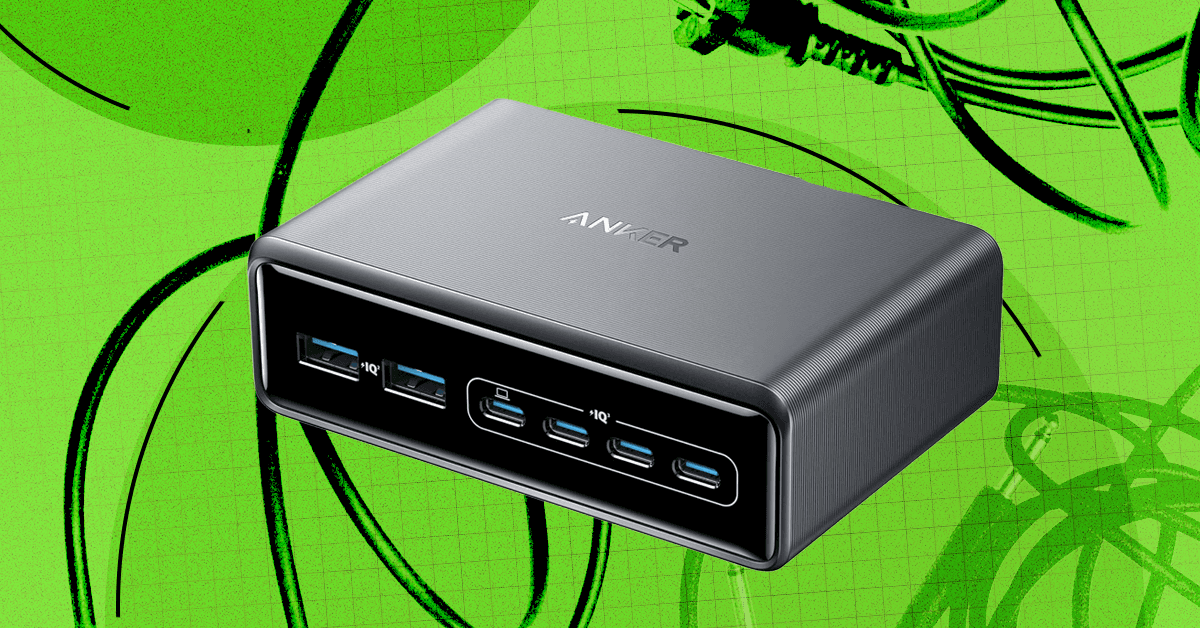
If your charging needs are more extensive, catering to multiple devices, a robust charging station is essential. The **Anker Prime Charging Station** ($70, 13% off on Amazon / Anker) is an excellent choice for powering a whole host of gadgets simultaneously.
By implementing these strategies, you can transform your desk from a tangled nightmare into a streamlined, efficient, and aesthetically pleasing command center. Say goodbye to cable chaos and hello to a more productive you!
For more details, visit our website.
Source: Link






Leave a comment